MK SYSTEM / DOCUMENTATION
MK Studio Overview
MK Studio Overview shows detected components and provides a starting point for site, movie and AI settings.
Location: WordPress admin → MK Studio → Overview. This is the landing screen and has no Save button. Use the left section menu to open settings pages. The menu currently lists Site Style, Typography, Homepage, Display, Branding, Header, Footer, Pages & Posts, Movies, Video, Ads, Custom Code, Performance, Integrations, AI Tools, Widgets and Import / Export.
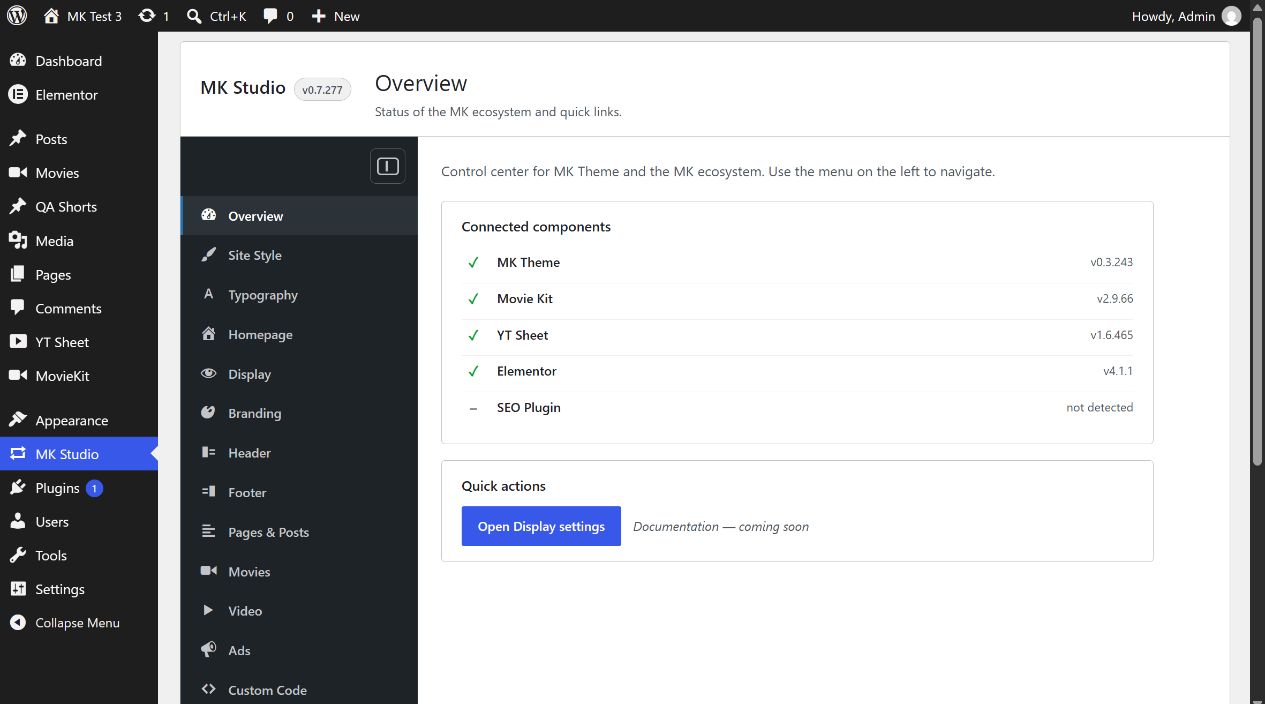
Connected components
The status list checks MK Theme, Movie Kit, YT Sheet, Elementor and an SEO plugin. A detected item shows its version when available; an absent one shows “not detected”. This is an installed/active integration signal, not an API connection test. For example, YT Sheet can be detected while its YouTube API key remains empty. Configure credentials in the owning plugin’s Settings screen.
The component list shows the installed versions and active status of MK Theme, MovieKit, YT Sheet and supported integrations on your own site. Use it to check the installation before opening a component’s settings.
Quick actions and navigation
Open Display settings takes you to MK Studio → Display. The text “Documentation: coming soon” in this version is informational, not a link. The left menu routes to each section; on narrow screens it becomes a section selector. Return to Overview without changing any settings.