MK SYSTEM / DOCUMENTATION
MK Studio Site Style
MK Studio Site Style controls the width and global color choices for your MK Theme website.
Location: WordPress admin → MK Studio → Site Style. This screen combines Site Width with global color Presets and Fine Tuning. The width and preset forms have separate Save buttons; changing a radio option without saving does not apply it.
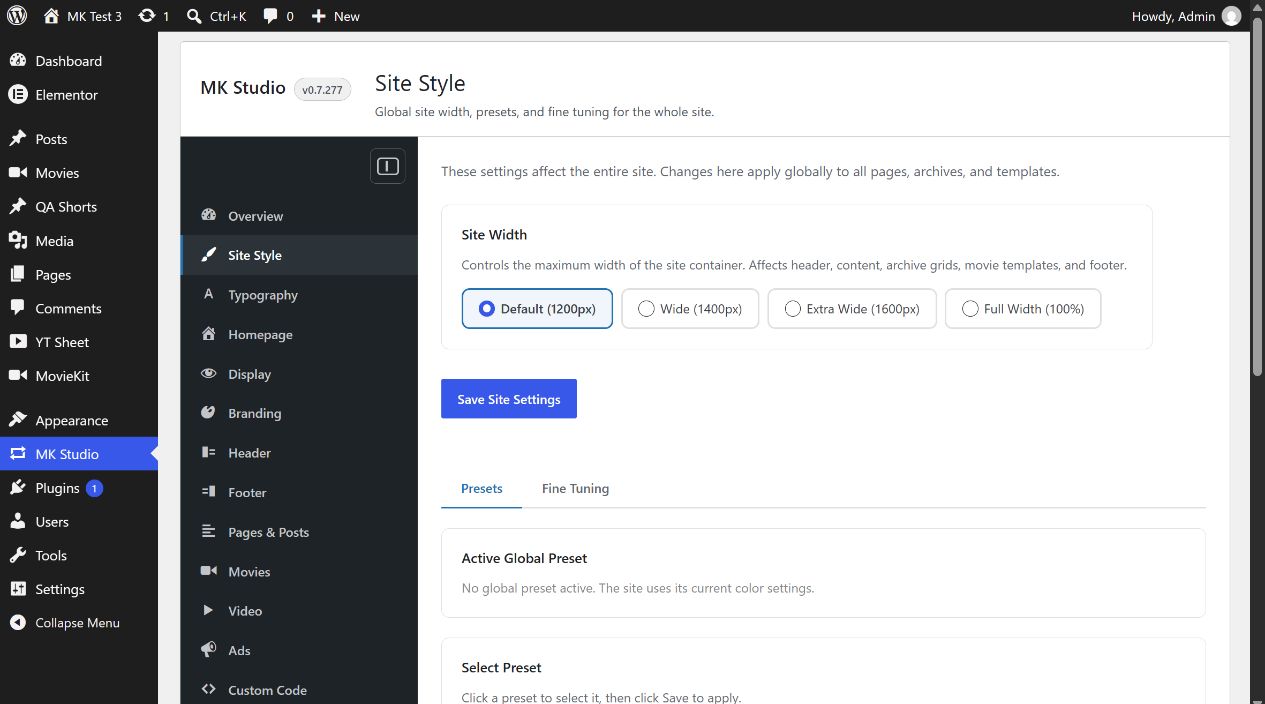
Site Width
Choose Default (1200px), Wide (1400px), Extra Wide (1600px) or Full Width (100%), then click Save Site Settings. Default is the initial choice. This changes the maximum container width throughout MK Theme, including header, content, archive grids, movie templates and footer. Check a representative page and archive after saving.
Presets
Active Global Preset reports the saved selection. Choose No preset to use the site’s existing colors, or select Dark Cinema, Clean Light or Blue Cinema. Click Save Design Settings to apply. Each card previews background, surface, text and accent colors. Global presets require a compatible MK Theme; the screen shows an update notice if its preset functions are unavailable.
For example, Dark Cinema sets dark backgrounds and a bright accent. The chosen preset supplies the starting color tokens. If Fine Tuning overrides have already been saved, changing the preset keeps those overrides until they are reset. Review the override count banner before switching.
Fine Tuning
Open the Fine Tuning tab after saving a global preset. With No preset active, the tab shows a gate and a Go to Presets link; saved overrides remain dormant until a preset is active again.
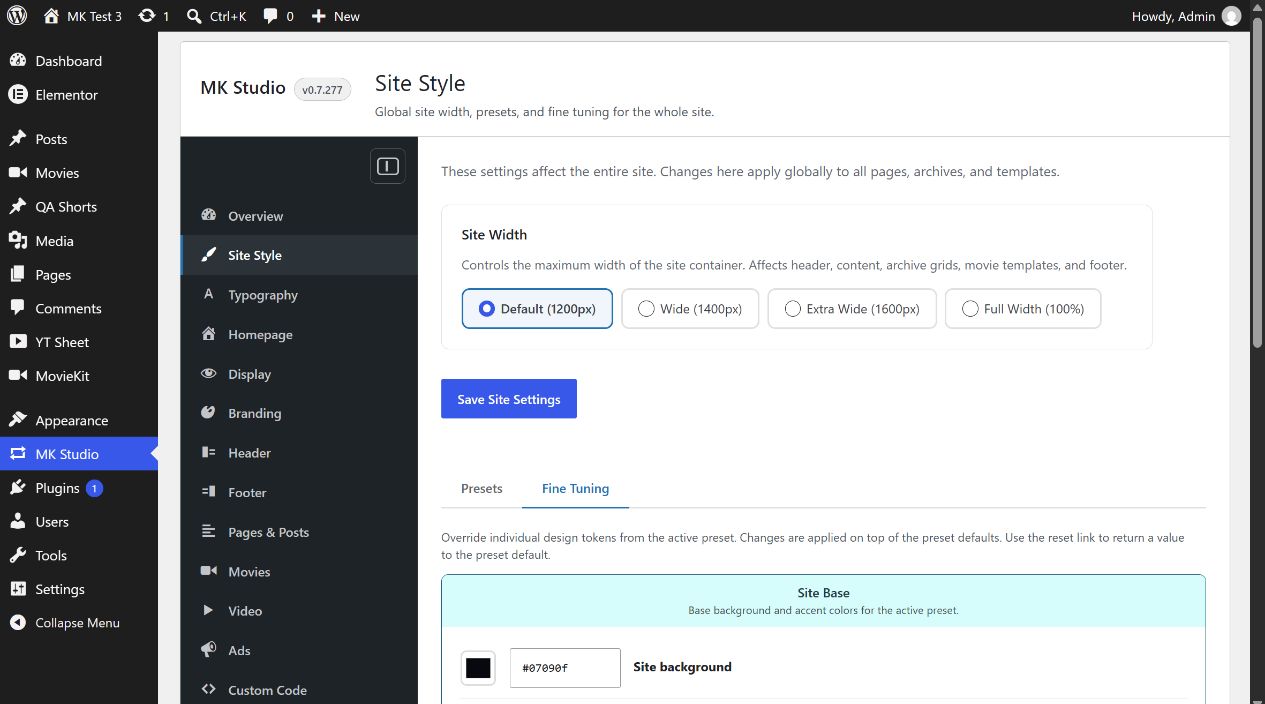
| Group | Color controls | Effect |
|---|---|---|
| Site Base | Site background; Accent color | Page background and accent. Accent hover state is derived automatically. |
| Header | Header background; Header text / links | Header colors on top of the preset. |
| Content | Content background; Content text | Main content surface and reading text. |
Use the color picker or enter a six-digit hex value such as #f5c518, then click Save Fine Tuning. Only values different from the current preset default are stored as overrides. An overridden row offers Reset; the banner offers Reset all to remove every fine-tuning override. Reset returns the color to the active preset value. A preset change does not remove overrides.
Related guides
Site width and reading width are different
Site Width controls the outer theme container. For ordinary pages and posts, Pages & Posts sets their inner reading width. In the item editor, MK Layout Options → Content width can use the global choice or Default (800px), Narrow (680px), Wide (1000px) or Full (site container width). That override affects the selected item only. Full still follows the outer container and safe mobile spacing; Elementor controls its own layouts.
For a broad video grid, choose an appropriate Site Width, then Full content width on its page. A shortcode placed in a sidebar remains constrained by that sidebar. See widget placement and Pages & Posts.