MK SYSTEM / DOCUMENTATION
MK Studio Branding
MK Studio Branding controls site identity, social profiles and the visibility of branding elements.
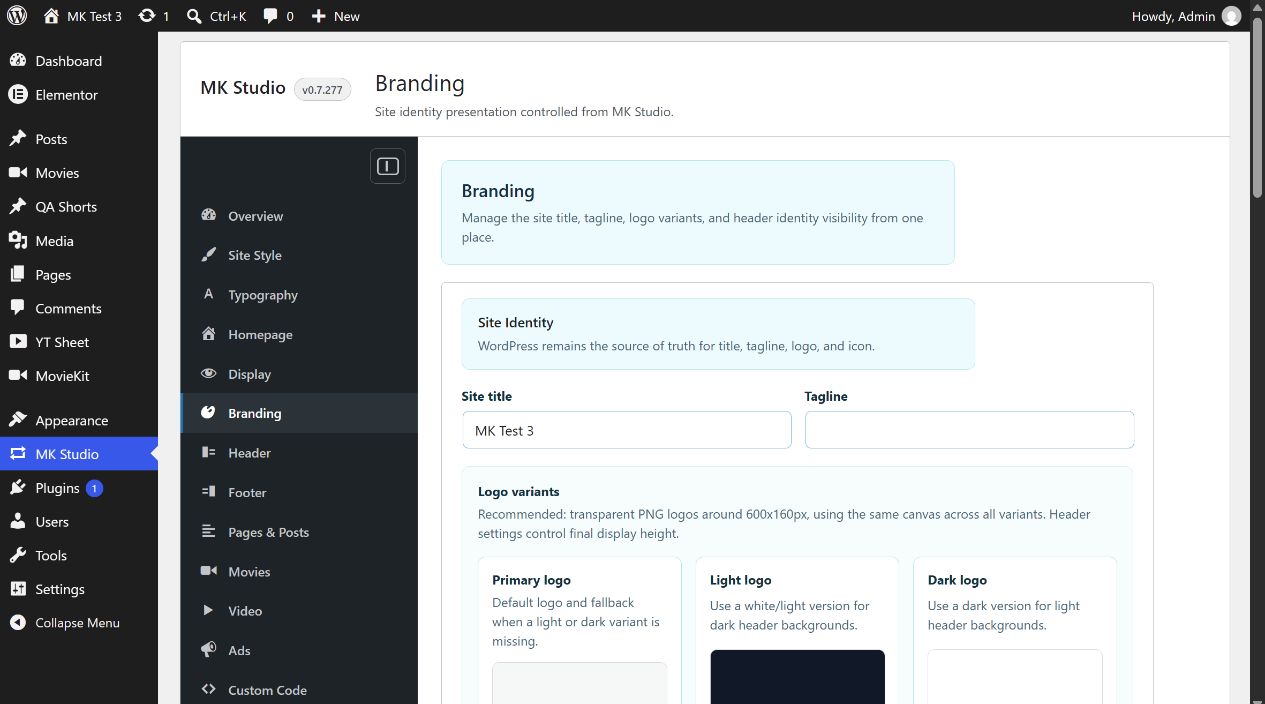
Location: WordPress admin → MK Studio → Branding. The four cards have separate save buttons: Save Identity, Save Social Profiles and Save Visibility; Default MK Mark is a read-only preview. Save each edited card before leaving the screen.
Site Identity
Site title and Tagline edit WordPress’s existing site identity values. The saved title also appears in WordPress settings and may be used by the browser title and theme. Primary logo is the default logo and fallback. Light logo is preferred on dark header presets; Dark logo is preferred on light header presets. If the preferred variant is absent, MK Theme falls back to Primary. With no custom primary logo, the default MK mark is available. Header settings determine the final logo height. The screen recommends transparent PNGs around 600 × 160 pixels with the same canvas across variants.
For each logo, click Upload Logo, select or upload an image in the WordPress Media Library, confirm the choice, and click Save Identity. The preview changes when you select an image; the saved site identity changes only after Save Identity. When a logo exists, its Remove Logo action clears that variant after Save Identity. Removing a logo does not delete its media file. The Site icon is managed through WordPress’s site icon screen via Manage site icon; it is used for the browser tab and app icons and is separate from header logo variants.
Social Profiles
Enter the complete public profile or channel URL for any of Instagram, Facebook, TikTok, YouTube, Vimeo, X / Twitter, LinkedIn, IMDb, Letterboxd and Discord. Blank fields are allowed. Click Save Social Profiles. If a URL has no scheme, the save handler prepends https://; only HTTP/HTTPS URLs are retained. A malformed value may be emptied by sanitization, so check the saved field after reload and test its destination.
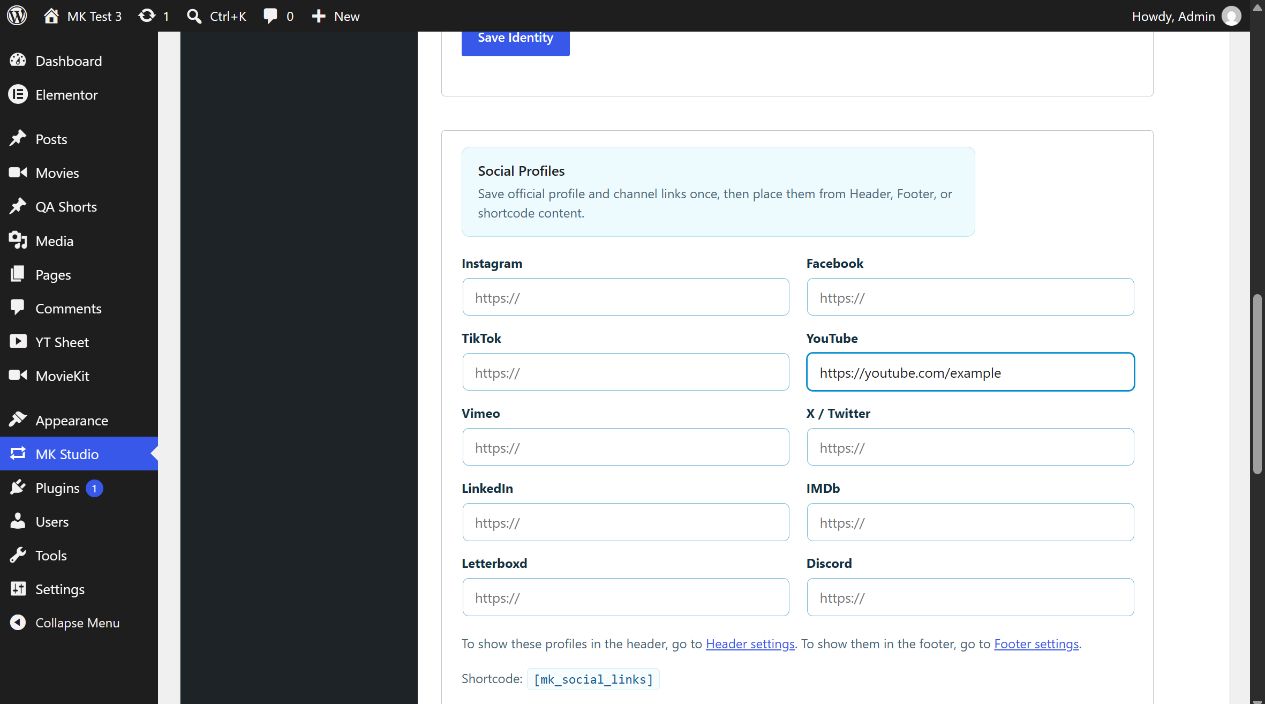
Saving a profile URL does not by itself place icons in the header or footer. Enable placement in MK Studio → Header → Social Links or MK Studio → Footer → Social Links. To insert the list in content, use ; only saved nonempty profiles appear.
Header Visibility
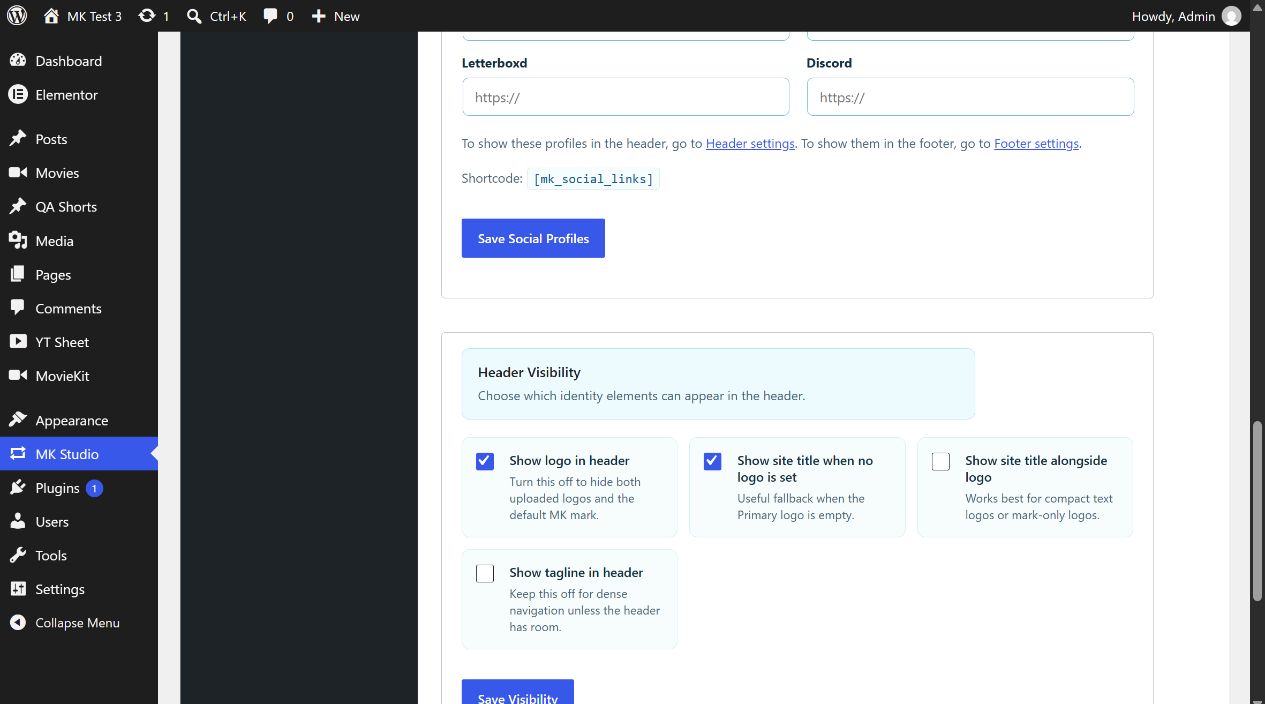
| Control | Initial value | Effect |
|---|---|---|
| Show logo in header | On | Allows uploaded logo variants or the default MK mark in the header. Off hides both. |
| Show site title when no logo is set | On | Text fallback if the primary logo is empty. |
| Show site title alongside logo | Off | Adds title text beside the logo; useful for mark-only artwork. |
| Show tagline in header | Off | Adds the tagline if the header layout has space. |
Choose the combination and click Save Visibility. For example, upload a primary mark-only logo, enable Show site title alongside logo, save, and inspect the public header at desktop and mobile widths. These controls affect presentation; they do not erase the WordPress title or tagline.