MK SYSTEM / DOCUMENTATION
YT Sheet YouTube Channel
A YT Sheet YouTube Channel source builds a video dataset from a public channel's uploads.
Location: WordPress admin → YT Sheet → Add New Source → Source type → YouTube Channel. This Source builds a dataset from a public channel’s uploads.
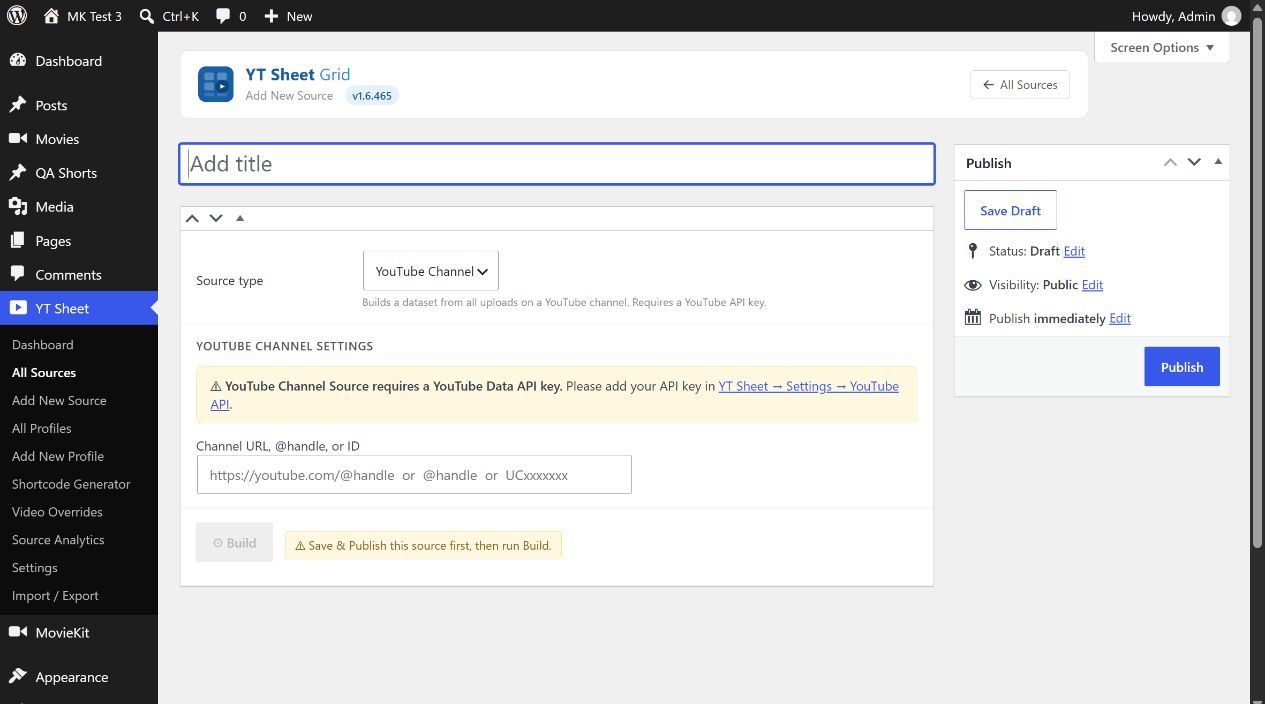
- Configure a YouTube Data API v3 key in YT Sheet → Settings → Advanced Settings and enable the YouTube API switch. The official setup guide covers Google Cloud project and API enablement.
- Enter Channel URL, @handle, or ID. Examples accepted by the field include a
youtube.com/@handleURL, an@handleor aUC...channel ID. - Publish the Source and select Build. The plugin resolves the channel, fetches its uploads and stores a dataset. After a successful build, the editor can show the resolved title/ID, video count and playlist count.
- If the input changes, select Update before Rebuild. Use Clear cache to remove the built dataset.
A missing key, invalid channel, absent uploads playlist or empty public result produces an error in the Cache area. After adding a valid key, build the Source and review the result.