MK SYSTEM / DOCUMENTATION
YT Sheet Elementor widget
The YT Sheet Elementor widget adds a configurable video grid to a WordPress page through the Elementor editor.
Location: open a WordPress page with Elementor, search for YT Sheet Grid in the widget panel and add it to the page. Elementor is optional; the Shortcode Generator can place a grid without it. The widget has its own Source, Content and Style controls. It renders through the YT Sheet shortcode engine, so a reachable feed or configured global default is still needed.
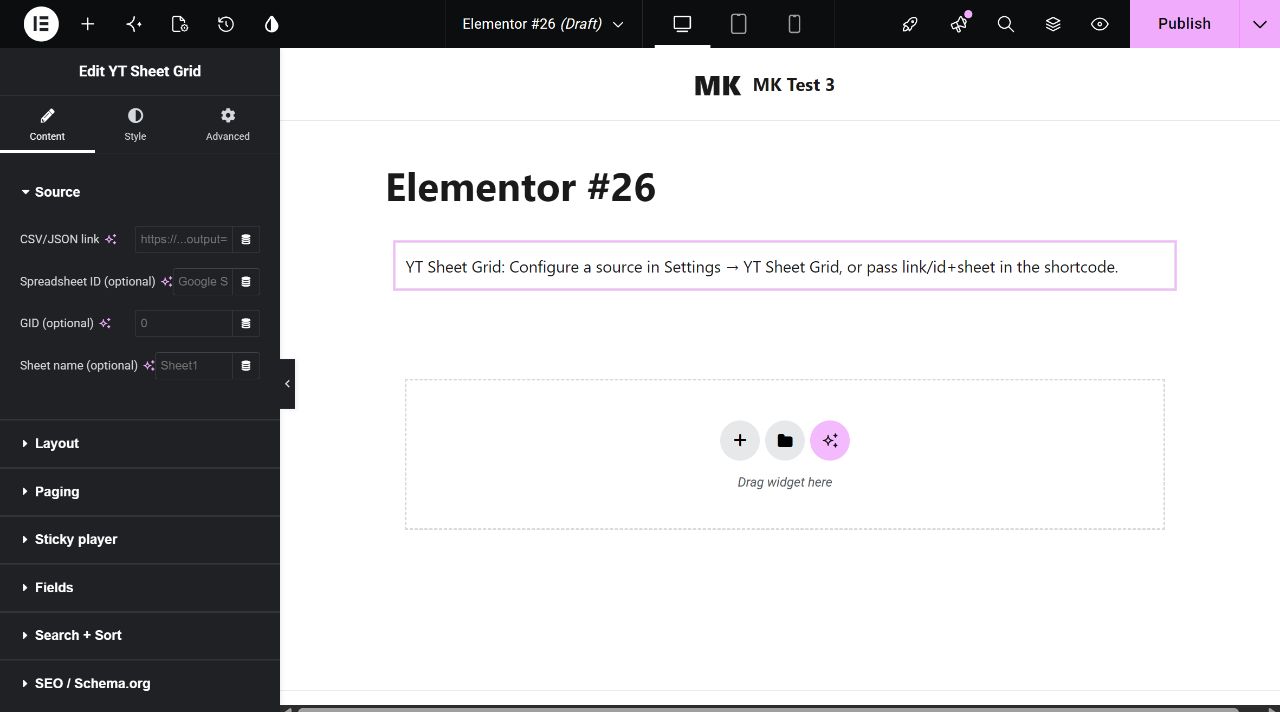
Content → Source
Enter one feed location. A CSV/JSON link accepts a public file URL. Alternatively, enter a Spreadsheet ID plus an optional GID or Sheet name for the Google Sheet tab. These fields support Elementor dynamic tags. If left empty, the widget uses the default source configured in YT Sheet Settings. The editor does not build a saved My Source or Profile from these fields.
| Control | Initial value and effect |
|---|---|
| CSV/JSON link | Empty. Direct public feed URL for this widget. |
| Spreadsheet ID | Empty. Google Sheet ID, without the surrounding URL. |
| GID; Sheet name | Empty. Identify the tab when using the spreadsheet ID. |
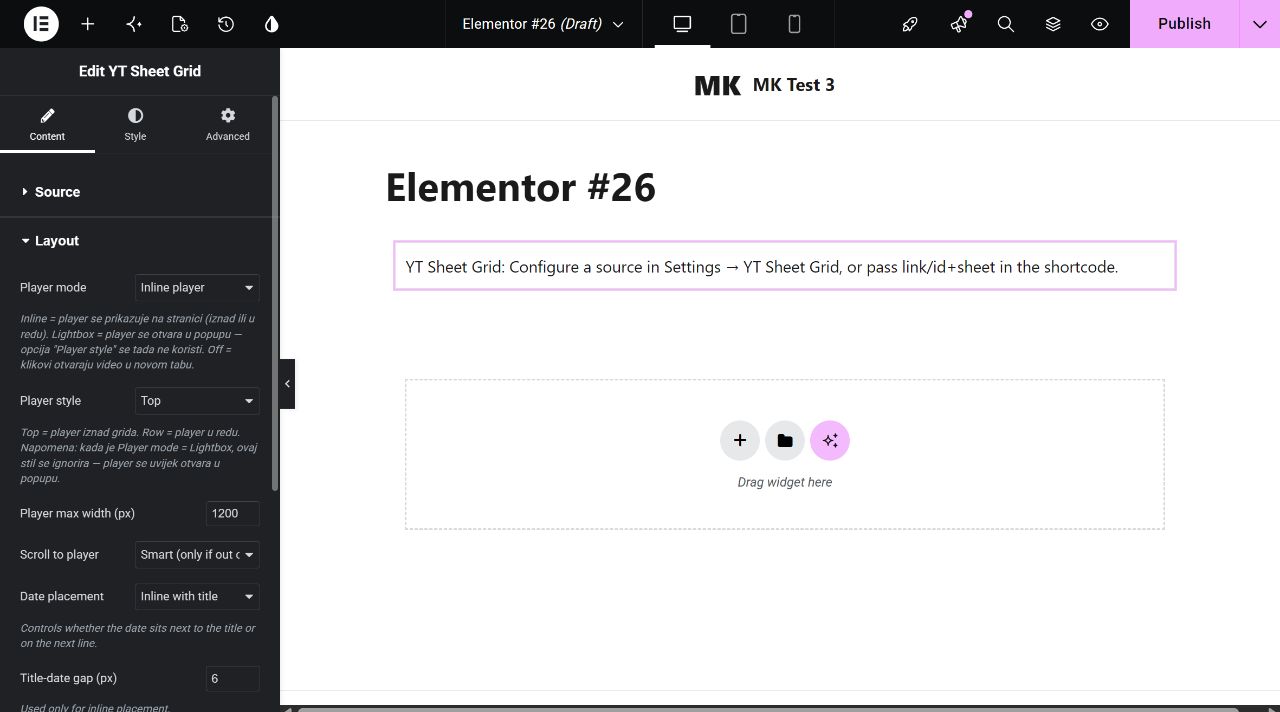
Content → Layout
| Control | Choices and effect |
|---|---|
| Player mode | Inline player (default), Lightbox popup or Off (links open in a new tab). |
| Player style | For Inline: Top (default), Row or Playlist. The control is hidden for the other player modes. |
| Row style on mobile | Shown when Player style is Row. Pin player to top (default) or keep Row behavior. |
| Player max width | 1200 px initially; 0 removes the width cap. |
| Scroll to player | Smart (default, scroll only when out of view), Top, Center or None. |
| Date placement; Title-date gap | Inline with title (default) or Below title. The inline gap starts at 6 px and is shown only for inline placement. |
| Thumb aspect ratio | Auto (default), 16:9, 4:3, 1:1 or 3:4. |
| Thumb fit; Thumb background | Shown for a fixed ratio. Cover is the initial fit; Contain exposes a background color control. |
Content → Paging and Sticky player
| Control | Initial value and effect |
|---|---|
| Preview paging in Elementor editor | Off initially. Turn on to make Load more or Pagination run inside the editor preview; otherwise editor preview uses no paging while the saved page uses its chosen mode. |
| Paging mode | Load more (default), None or Pagination. |
| Per page; Load more step | 48 items per page; step 24. Step appears for Load more. |
| Cache (minutes) | 60 initially; 0 disables the duration for this widget. |
| Enable sticky | Off initially. When on, set Position (bottom right by default; also bottom left, top right, top left), Width 400 px, Height 0 for automatic 16:9, Min screen width 768 px and Margin 16 px. |
Content → Fields
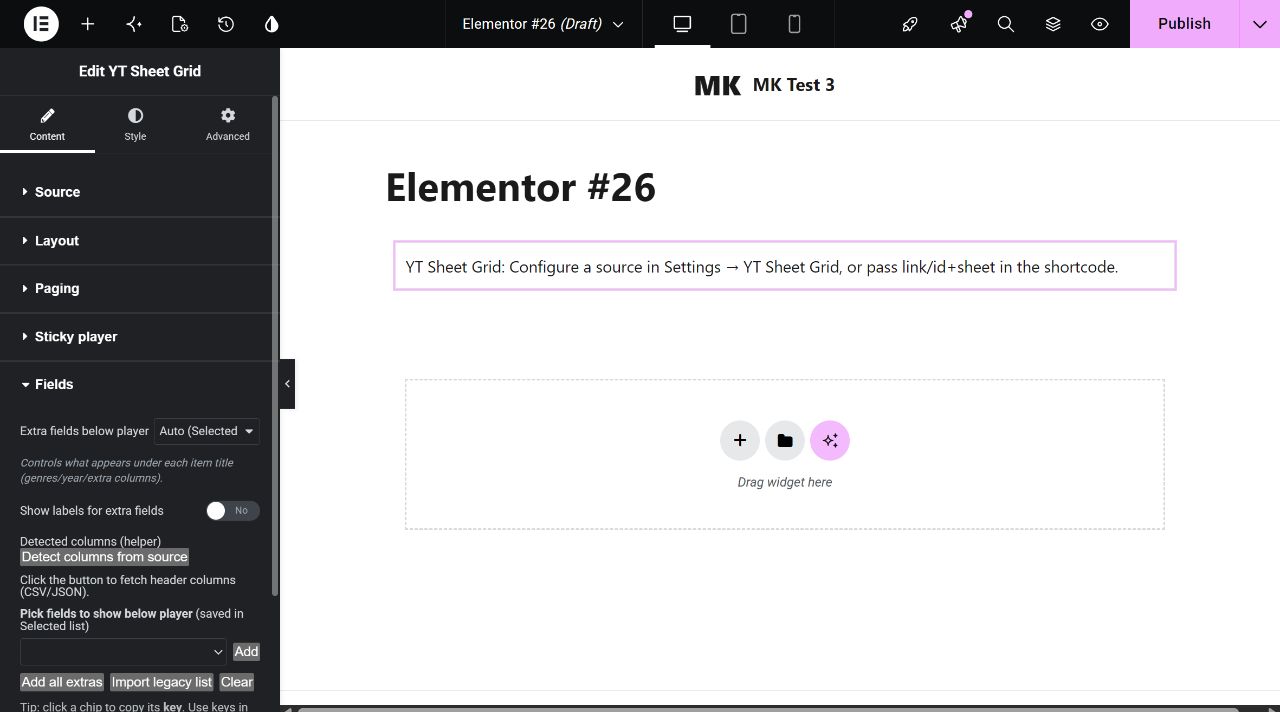
Extra fields below player starts at Auto, which prefers the Selected list, then the Legacy list, then the default output. Other modes are Selected list, All extras plus genres/year, None, and Legacy comma-separated list. In Legacy mode, enter column keys in Legacy: Show extra fields. Show labels for extra fields is off initially.
Detect columns from source reads a configured CSV/JSON feed and exposes its column keys. The picker can Add one field, Add all extras, Import legacy list or Clear; its selection is stored for Selected list mode. A failed or unreachable feed cannot supply column names. Use the exact detected key rather than its display label.
Content → Search + Sort
| Control | Initial value and effect |
|---|---|
| Enable left filters panel; Filters button label | Off initially. When on, adds a desktop sidebar and mobile drawer. Button label starts as “Filters”. |
| Sidebar filters | Empty repeater shown with the panel enabled. Each row needs a matching Field key and may set Label, Checkboxes/Dropdown, Multi-select (checkboxes only; on by default) and Type to filter options (off by default). |
| Enable search; Search fields; Search scope | Search is off initially. When on, fields start as title,genres,year; scope defaults to Whole feed (index), with Visible items as the other choice. |
| Enable sort; Default sort; Date format | Sort is off initially. When on, default sort is source order. Other choices: title A–Z/Z–A, date oldest/newest, year oldest/newest. Date format starts Auto; choose DD/MM/YYYY, MM/DD/YYYY or YYYY-MM-DD if needed. |
| Custom sort columns | Empty repeater shown with sort enabled. Each row sets a matching Field key, dropdown Label and comparison type Text, Number or Date. Without rows, built-in sort choices remain. |
| Enable chips; Chips source field key | Chips are off initially. Turn on and choose a field key, initially genres, to create clickable category chips. |
Content → SEO / Schema.org
Inject schema (safe mode) is off initially. When on, the widget emits JSON-LD from the first items, using these field keys: Name title, Description description, Upload date date, Thumbnail thumb and Duration duration. Duration accepts seconds, mm:ss or ISO 8601 text. A blank optional key skips that field. A page URL with ?v= describes one selected video; otherwise the schema describes an ItemList of the first ten items.
Enable deep linking (?v= in URL) starts on and can be turned off independently of schema. Open a published page and click a video to check the resulting URL.
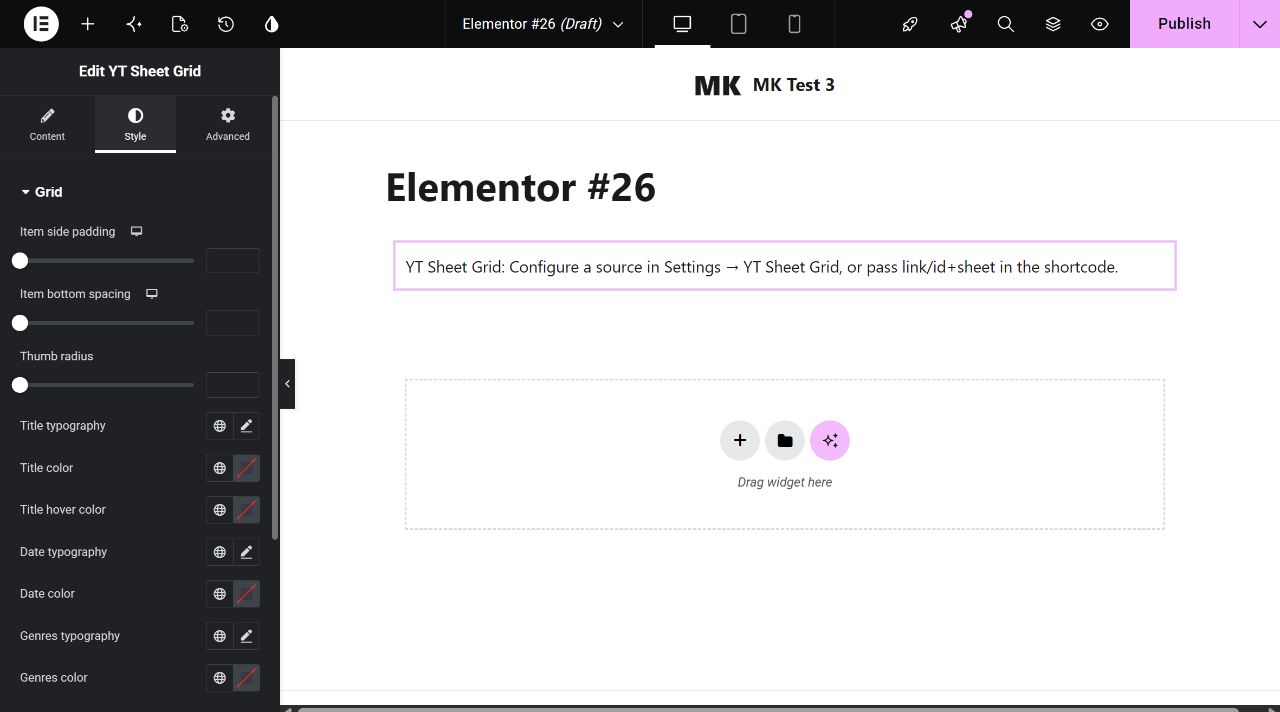
Style tab
| Style section | Controls |
|---|---|
| Grid | Responsive item side padding and bottom spacing; thumbnail radius; title typography/color/hover color; date typography/color; genres typography/color. |
| Player | Responsive padding, background, radius, player title typography/color. Lightbox mode additionally shows backdrop and meta colors. |
| Search + Sort | Responsive field gap and padding; field typography, text color, background, border color and radius. |
| Genre tabs | Responsive chip gap and padding; chip typography, text/background/border colors and radius; active chip text/background colors. This section styles the chips enabled in Content. |
| Controls | Count typography/color; Load more button typography, text/background/hover colors, responsive padding and radius. |
| Split layout | When the filters panel is enabled: Sidebar width CSS (initially 320px), Columns gap (24 px) and Mobile breakpoint (768 px). Below the breakpoint, the panel becomes a drawer. |
Style colors, spacing and typography apply to this widget instance. Publish the page and check the desktop and mobile view after connecting a feed.