MK SYSTEM / DOCUMENTATION
AI Fine Tuning instructions
MK Studio AI Fine Tuning saves writing instructions for future requests; it does not train a new provider model.
Location: MK Studio → AI Tools → Fine Tuning. In MK Studio, Fine Tuning means saved instructions added to future requests. It does not train a new model, upload a training dataset or alter a provider’s model weights.
Choose the instruction profile
| Control | Use |
|---|---|
| Review style instructions | Default language, voice, length, structure, critical angle and spoiler policy for movie reviews. |
| Plot style instructions | Default length, language and spoiler boundaries for plot drafts. |
| Excerpt style instructions | Style and length for plain-text excerpt drafts. |
| SEO strict instructions | Site-wide boundaries for SEO wording, keyphrase use, brand naming and unsupported claims. |
- Enter instructions in the relevant profile. Keep them specific and consistent.
- Select Save Fine Tuning. This saves preferences without generating content or contacting a provider.
- Generate a sample draft from the corresponding editor tool, review the result and revise the instructions if necessary.
Example review instructions
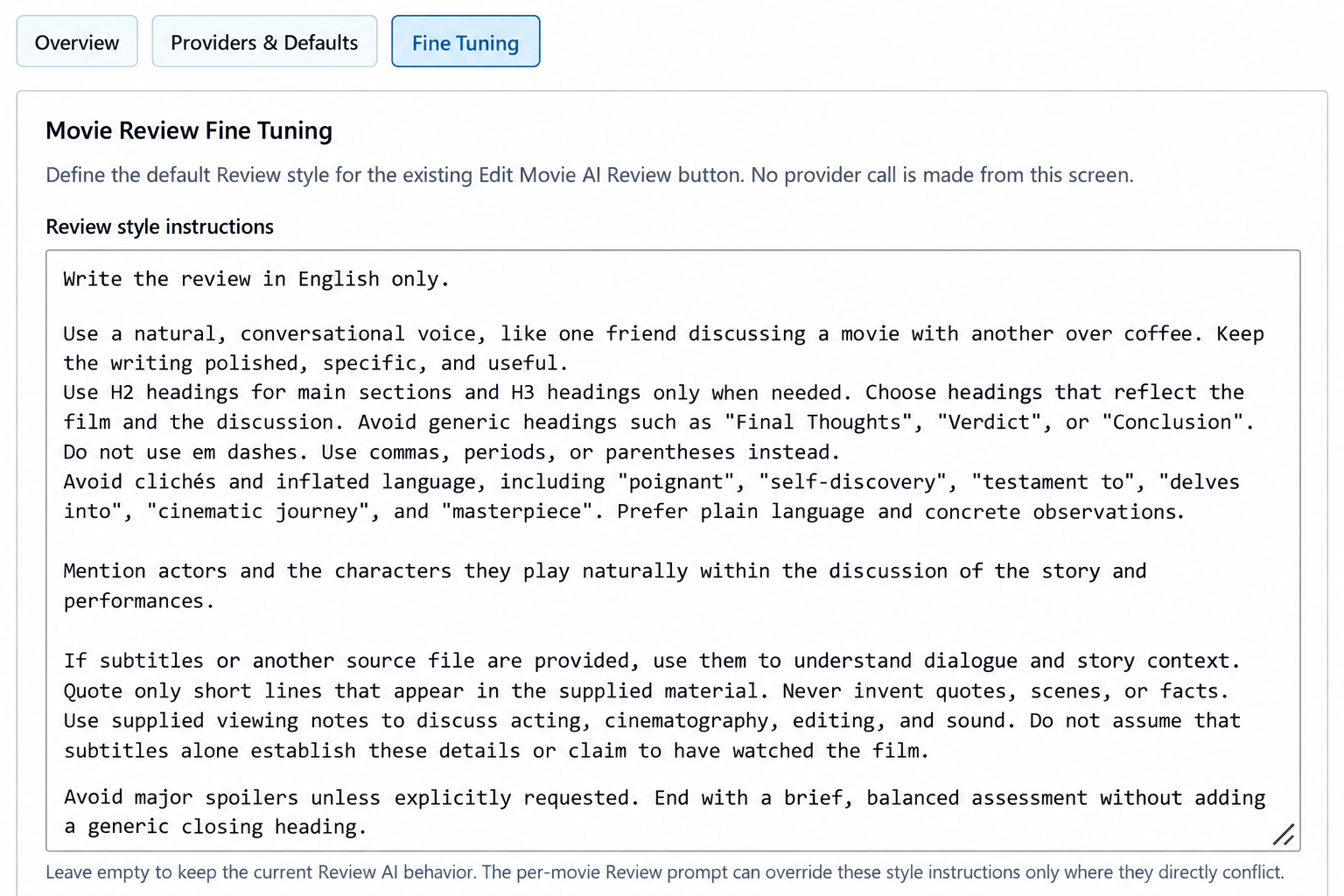
You can copy this example and adapt it to your site’s voice:
Write the review in English only.
Use a natural, conversational voice, like one friend discussing a movie with another over coffee. Keep the writing polished, specific, and useful.
Use H2 headings for main sections and H3 headings only when needed. Choose headings that reflect the film and the discussion. Avoid generic headings such as “Final Thoughts”, “Verdict”, or “Conclusion”.
Do not use em dashes. Use commas, periods, or parentheses instead.
Avoid clichés and inflated language, including “poignant”, “self-discovery”, “testament to”, “delves into”, “cinematic journey”, and “masterpiece”. Prefer plain language and concrete observations.
Mention actors and the characters they play naturally within the discussion of the story and performances.
If subtitles or another source file are provided, use them to understand dialogue and story context. Quote only short lines that appear in the supplied material. Never invent quotes, scenes, or facts.
Use supplied viewing notes to discuss acting, cinematography, editing, and sound. Do not assume that subtitles alone establish these details or claim to have watched the film.
Avoid major spoilers unless explicitly requested. End with a brief, balanced assessment without adding a generic closing heading.
Example SEO strict instructions
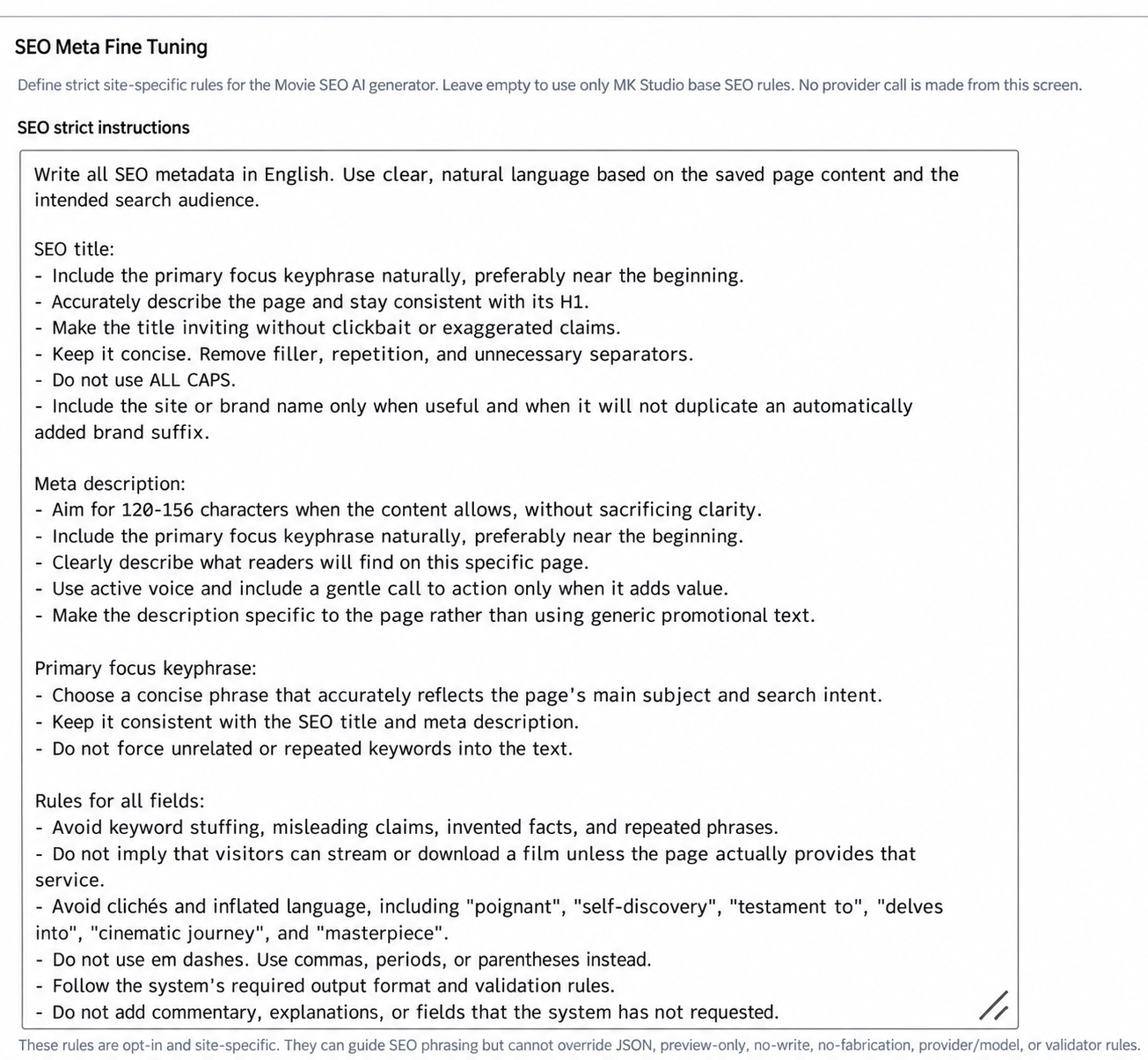
Copy this example into SEO strict instructions and adapt it to your site. The description length is a writing preference, not a promise of how a search result will appear.
Write all SEO metadata in English. Use clear, natural language based on the saved page content and the intended search audience.
SEO title:
- Include the primary focus keyphrase naturally, preferably near the beginning.
- Accurately describe the page and stay consistent with its H1.
- Make the title inviting without clickbait or exaggerated claims.
- Keep it concise. Remove filler, repetition, and unnecessary separators.
- Do not use ALL CAPS.
- Include the site or brand name only when useful and when it will not duplicate an automatically added brand suffix.
Meta description:
- Aim for 120–156 characters when the content allows, without sacrificing clarity.
- Include the primary focus keyphrase naturally, preferably near the beginning.
- Clearly describe what readers will find on this specific page.
- Use active voice and include a gentle call to action only when it adds value.
- Make the description specific to the page rather than using generic promotional text.
Primary focus keyphrase:
- Choose a concise phrase that accurately reflects the page’s main subject and search intent.
- Keep it consistent with the SEO title and meta description.
- Do not force unrelated or repeated keywords into the text.
Rules for all fields:
- Avoid keyword stuffing, misleading claims, invented facts, and repeated phrases.
- Do not imply that visitors can stream or download a film unless the page actually provides that service.
- Avoid clichés and inflated language, including “poignant”, “self-discovery”, “testament to”, “delves into”, “cinematic journey”, and “masterpiece”.
- Do not use em dashes. Use commas, periods, or parentheses instead.
- Follow the system’s required output format and validation rules.
- Do not add commentary, explanations, or fields that the system has not requested.
Which instruction wins?
For Review, Plot and Excerpt, a per-item prompt can override conflicting style preferences for that generation. System constraints and output requirements still apply. For SEO, the saved SEO strict instructions take precedence over per-movie prompts and presets; those prompts guide the result within the site’s boundaries. Provider/model selection is controlled by the interface, not by writing a model name in these instructions.
Reset Review Instructions and Reset Plot Instructions restore MK defaults. Restore Default SEO Meta Instructions and Restore Default Excerpt Instructions restore their starter rules. Empty profiles do not disable the underlying generator’s base rules. Entries under Planned Fine Tuning surfaces are informational.
AI helps. You decide. Saved instructions improve consistency, but each result still needs editorial review. See Review drafting and SEO metadata.
Editable starter rules
MK Studio 0.7.300 supplies initial instructions for all seven Movie and Article profiles. They are editable, preserve the source language by default, and do not assume that your site is a FramePress demo. Existing custom instructions and deliberately saved empty fields are preserved. To remove extra site rules, clear the relevant field and save it. To start again, use that profile’s restore/reset button.
Articles — WordPress Posts
| Profile | Purpose |
|---|---|
| Article writing | Ordinary post title and HTML body: audience, tone, language, H2/H3 headings, lists and sources. |
| Article excerpt | Concise plain-text editorial summary of the article. |
| Article SEO | SEO title, meta description and primary keyphrase based on the saved article, with Yoast or Rank Math. |
Article rules are separate from Movie rules. Select Save Article rules to save the Article form. Restore default rules for this section resets the selected profile. These actions do not contact a provider. Article site rules take priority over a conflicting generation request; output format, supported operations and protected content remain enforced.
Open Article AI in the Post editor for content revision and Article SEO for metadata. The English examples above are optional examples, not the installed default language.