MK SYSTEM / DOCUMENTATION
YT Sheet YouTube Playlist
A YT Sheet YouTube Playlist source builds a video dataset from one public playlist using the YouTube Data API.
Location: WordPress admin → YT Sheet → Add New Source → Source type → YouTube Playlist. This Source retrieves videos from one public YouTube playlist.
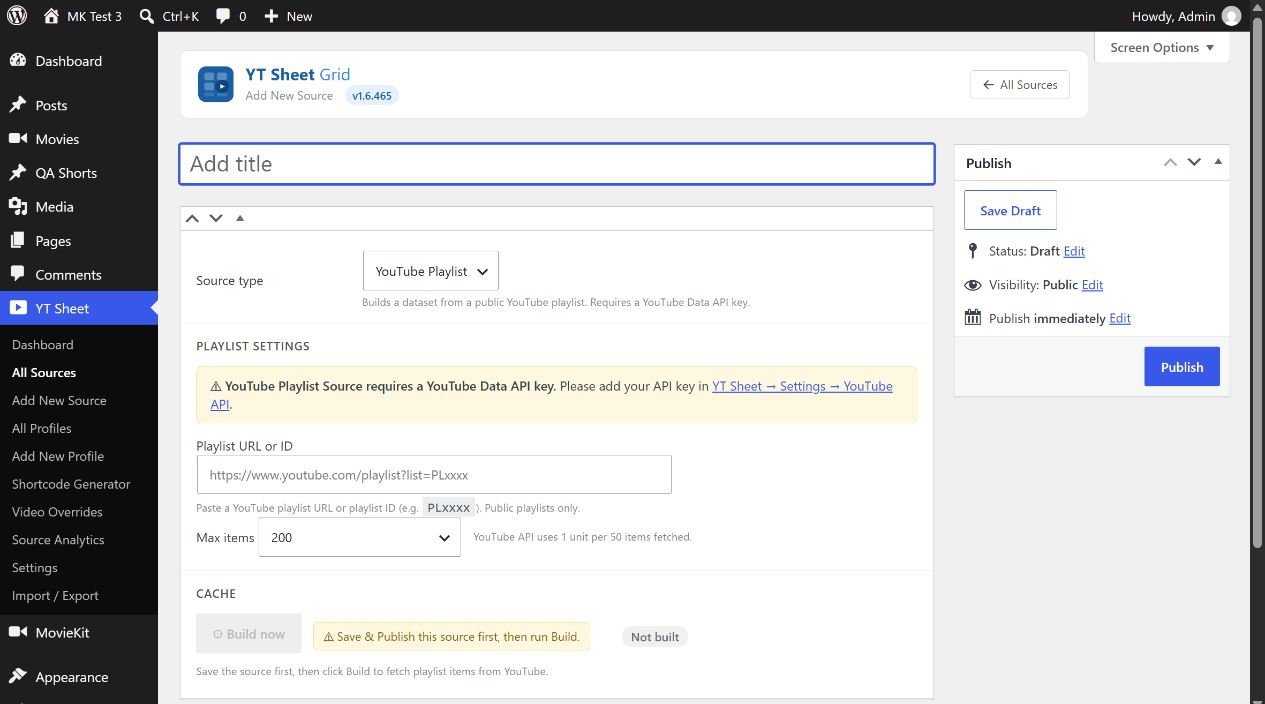
- Follow the official YouTube Data API setup: create or select a Google Cloud project, enable YouTube Data API v3 and create an API key. In YT Sheet → Settings → Advanced Settings, enter the key and turn on Enable YouTube API features.
- Enter a public Playlist URL or ID. A saved valid value displays the extracted Playlist ID; an invalid value shows a warning.
- Choose Max items: 50, 100, 200 (initial value), 500 or All. All can consume more API quota.
- Publish the Source and select Build now. Check the item count or the stored error. After changing the playlist or limit, select Update before Rebuild.
Clear cache removes the built playlist dataset after confirmation. The source requires a public playlist and valid provider access. After adding a key, build the Source and review the resulting grid.