MK SYSTEM / DOCUMENTATION
MK Studio Blog and Archives
MK Studio Blog and Archives controls the layout and card elements used for regular WordPress post listings.
Location: WordPress admin → MK Studio → Pages & Posts → Blog / Archives. This tab controls archives of regular WordPress posts. Movie archive card settings are under MK Studio → Movies → Archives. Change the fields below and click Save Changes, then inspect a blog index, category or date archive.
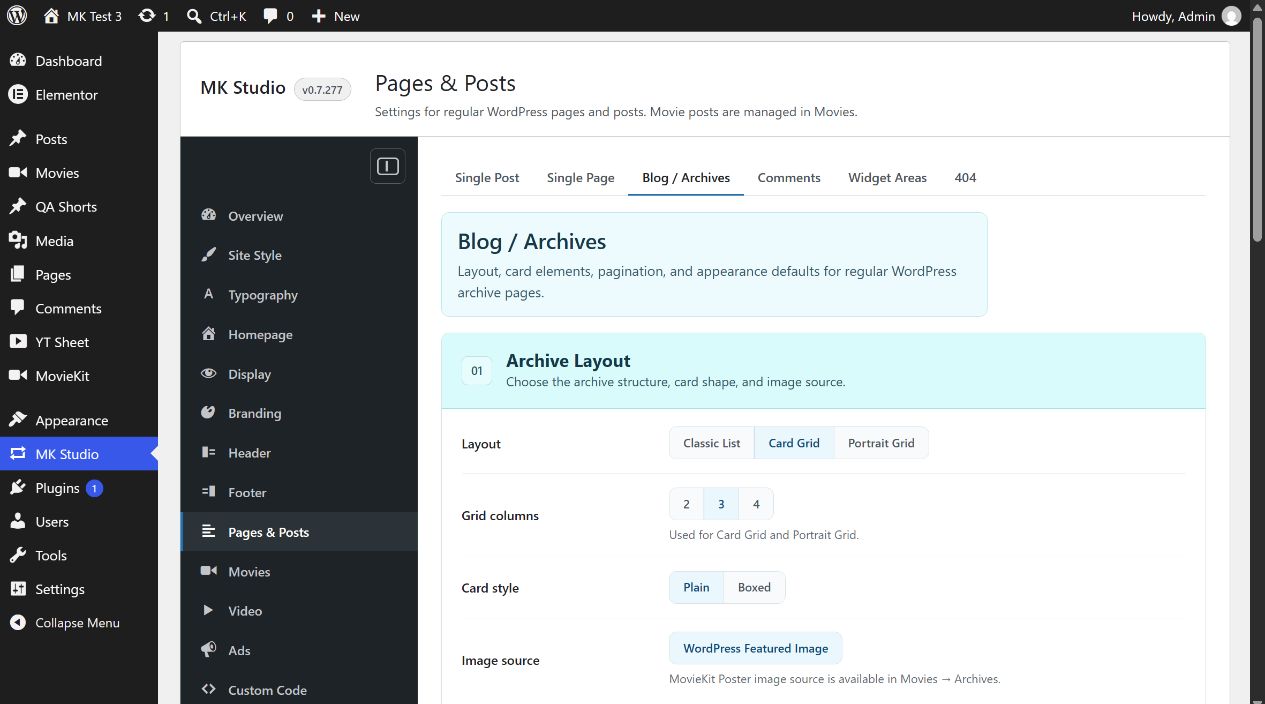
Archive Layout
Layout: Classic List, Card Grid (initial) or Portrait Grid. Grid columns: 2, 3 (initial) or 4, used by the two grid layouts. Card style: Plain (initial) or Boxed. Image source: WordPress Featured Image. A MovieKit poster source is available only in the separate Movies archive settings.
Card Elements
Initially on: Show image, Show title, Show excerpt, Show date, Show category and Show read more. Show author starts off. The post needs the underlying image, excerpt or category for that element to appear. Excerpt length starts at 25 words and accepts 10–100; it matters when Show excerpt is on.
Query & Pagination
Posts per page starts at 12 and accepts 1–60. Show pagination starts enabled. This controls whether MK Theme shows its archive pagination, while the count controls the page size. If the archive has fewer matching posts than the page size, there may be no next page to show.
Appearance
Card gap starts at 24 px and accepts 0–80 px. Card padding: Compact, Normal (initial) or Spacious. Card radius: None, Small, Medium (initial) or Large. Image radius: Inherit (initial), None, Small, Medium or Large. Card shadow: None (initial), Soft or Medium. Text align: Left (initial) or Center.
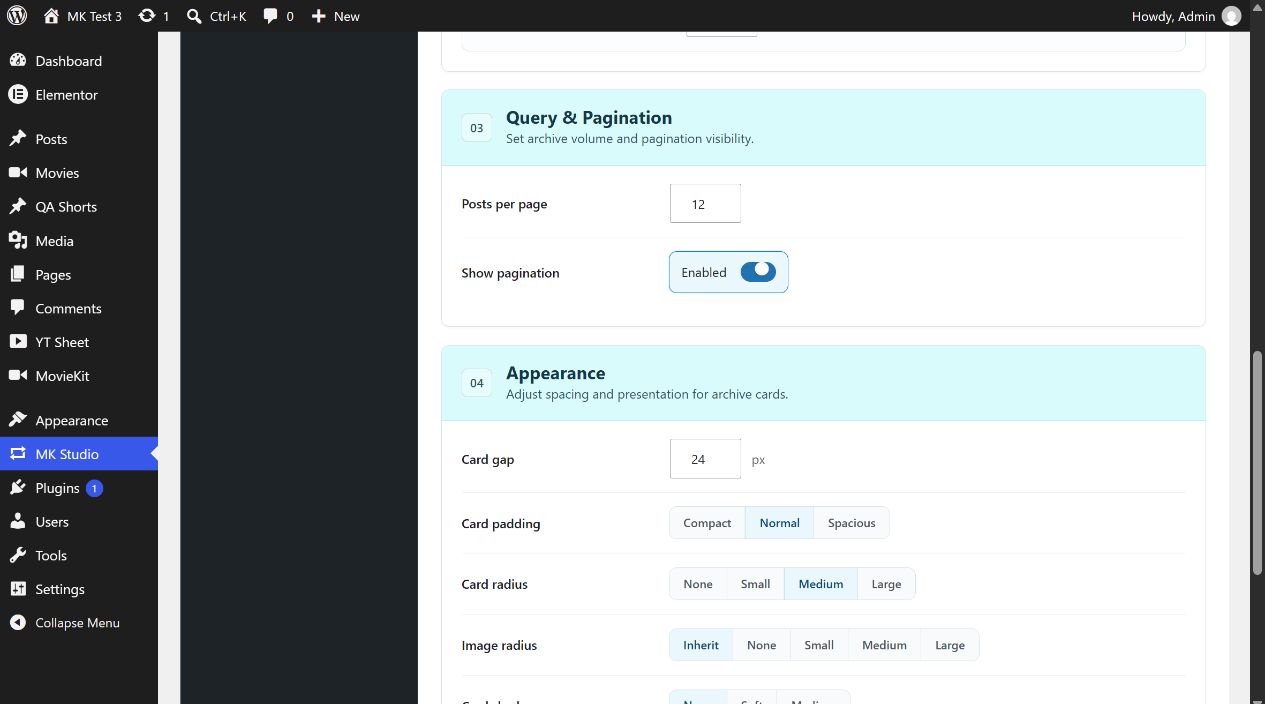
Example: a three-column blog grid
- Publish several regular posts with featured images and categories.
- Choose Card Grid, 3 columns, Plain cards, and leave the image, title and excerpt toggles on.
- Set Posts per page to 12, leave pagination enabled, save, and inspect a public archive at desktop and mobile widths.