MK SYSTEM / DOCUMENTATION
MK Studio Typography
MK Studio Typography controls fonts and text styles for body content, headings and interface labels.
Location: WordPress admin → MK Studio → Typography. Use the tabs Overview, Body Text, Headings, UI Text and Font Library. Each editing tab has its own Save Typography Settings button and preview. “Theme Default” leaves that property to MK Theme; an explicit choice creates a Typography override.
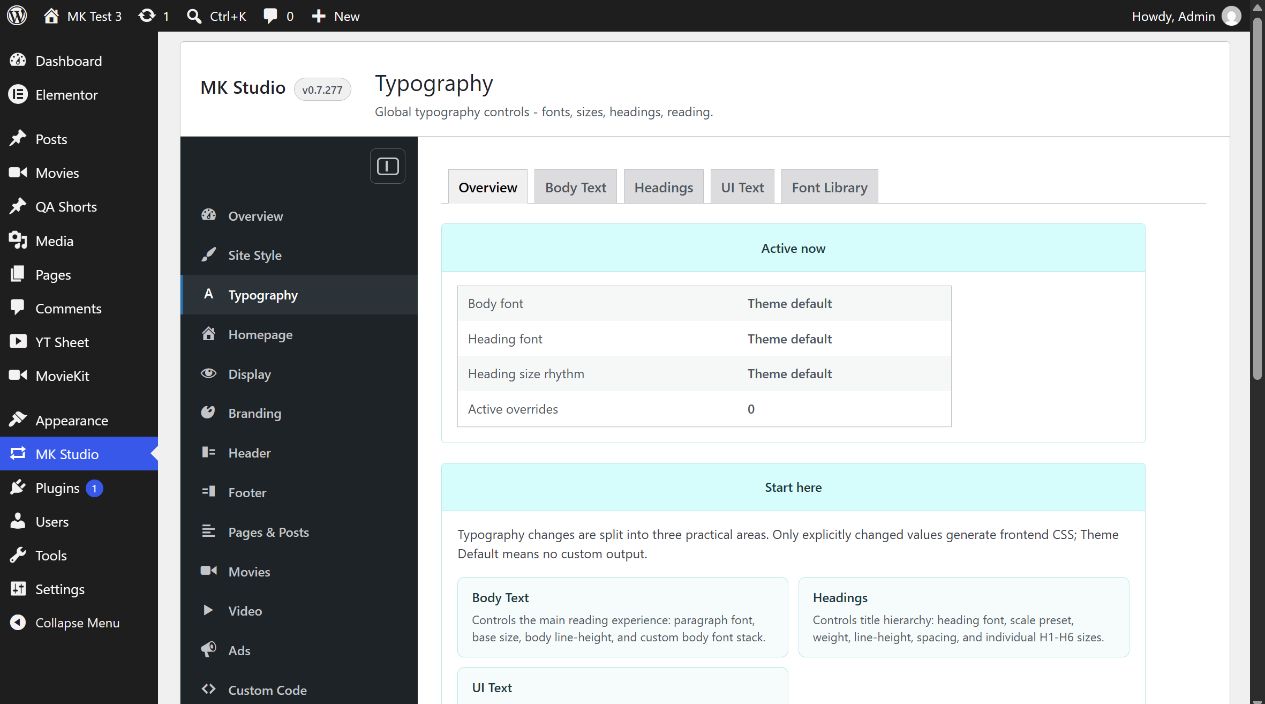
Overview
Active now summarizes body font, heading font, heading size rhythm and the number of active overrides. The starting cards link to Body Text, Headings and UI Text; Open Font Library opens local font management. The summary is read-only.
Body Text
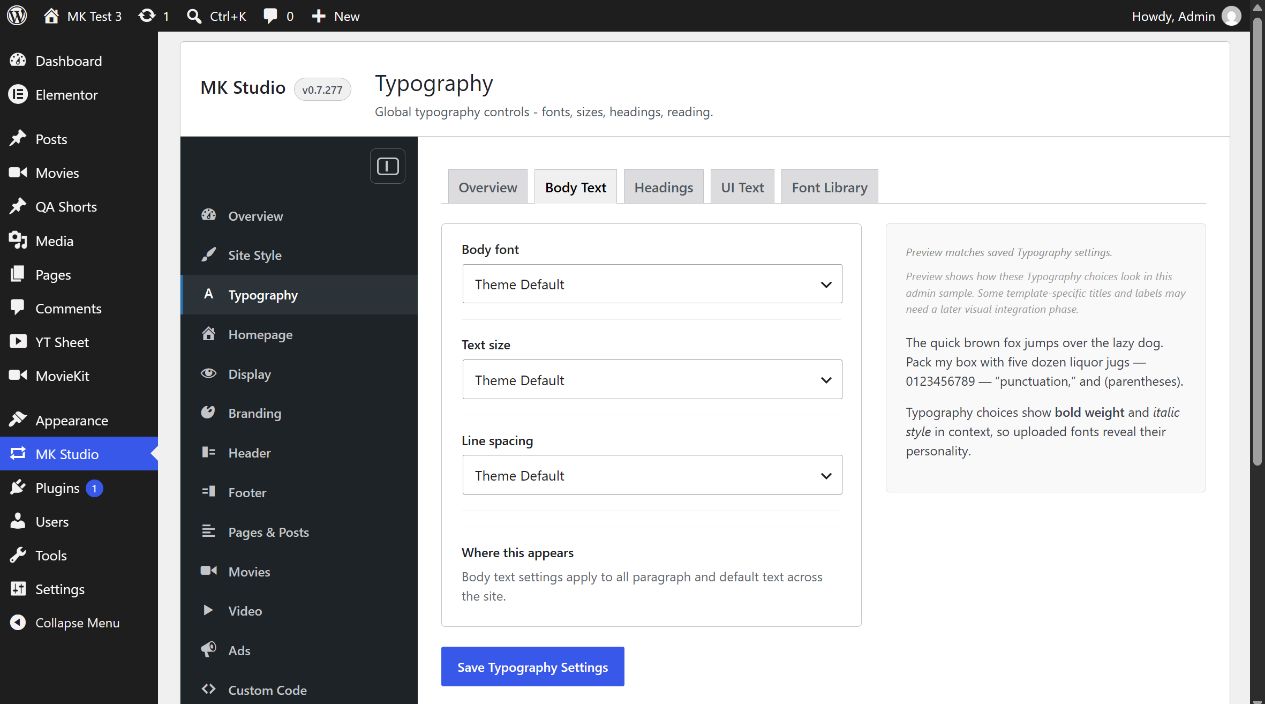
| Control | Choices |
|---|---|
| Body font | Theme Default, System Sans, Modern UI, Cinematic Sans, Classic Reading, System Serif or Mono. Installed Font Library families appear in a separate group. |
| Text size | Theme Default; Small 15 px; Normal 16 px; Large 18 px; Extra Large 20 px. |
| Line spacing | Theme Default; Tight 1.45; Normal 1.6; Relaxed 1.75; Spacious 1.9. |
These choices target paragraphs and default reading text. Select values, inspect the admin sample, then save and check a real post or page. The preview uses saved settings after reload.
Headings
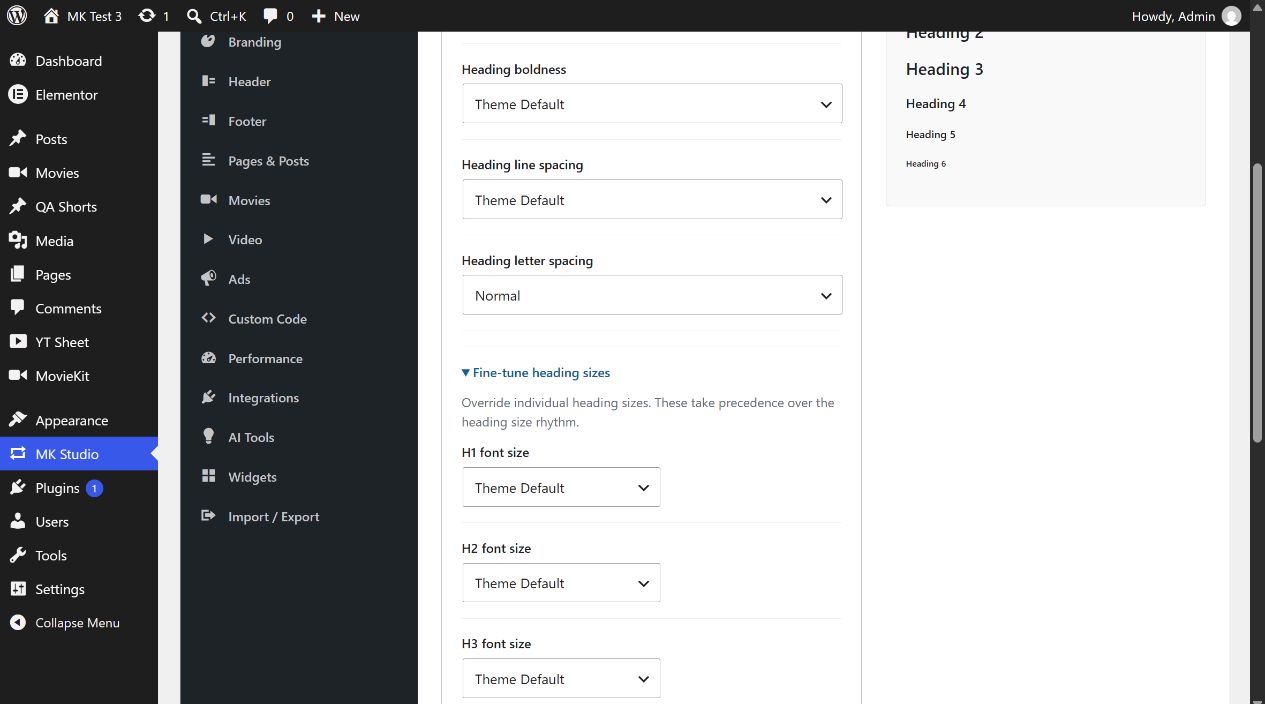
| Control | Choices |
|---|---|
| Heading font | The same system and installed local font families as Body font, with Theme Default initially. |
| Heading size rhythm | Theme Default, Compact, Balanced, Editorial or Cinematic. |
| Heading boldness | Theme Default, Regular 400, Medium 500, Bold 700 or Strong 800. |
| Heading line spacing | Theme Default, Tight 1.05, Normal 1.15, Relaxed 1.25 or Spacious 1.35. |
| Heading letter spacing | Normal (Theme Default) or Slightly wide 0.02em. |
| Fine-tune heading sizes | Expand to set H1, H2, H3, H4, H5 and H6 separately. Each starts at Theme Default, offers four preset pixel sizes or Custom (8–96 px). An individual heading size takes precedence over Heading size rhythm. |
H1 presets: 42, 48, 52, 56 px. H2: 32, 36, 40, 44 px. H3: 26, 29, 31, 34 px. H4: 22, 24, 25, 28 px. H5: 18, 19, 20, 22 px. H6: 15, 16, 17, 18 px. Check headings in a normal page and a movie template after saving; the current admin notes that some template-specific titles may need separate visual integration.
UI Text
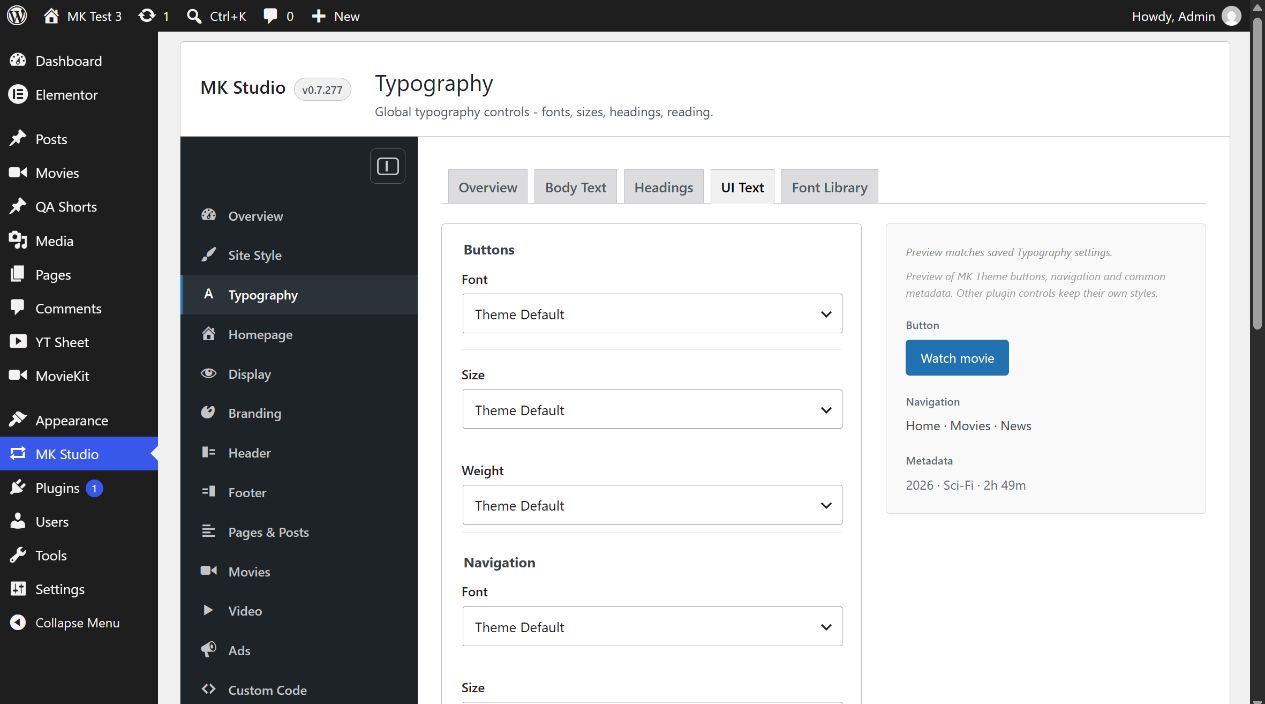
Buttons, Navigation and Metadata each have independent Font, Size and Weight selectors. Font choices are the system and installed library fonts plus Theme Default. Size choices are Theme Default or 12, 14, 16, 18 and 20 px. Weight choices are Theme Default, Regular 400, Medium 500, Semibold 600, Bold 700 and Strong 800.
These controls style MK Theme labels, not controls owned by other plugins. An explicit Navigation font here takes precedence over the Header menu font setting. Save this tab and check a button, main menu and movie metadata on the public site.