MK SYSTEM / DOCUMENTATION
MK Studio Display
MK Studio Display sets global visibility defaults for standard elements on pages, posts and public custom content types.
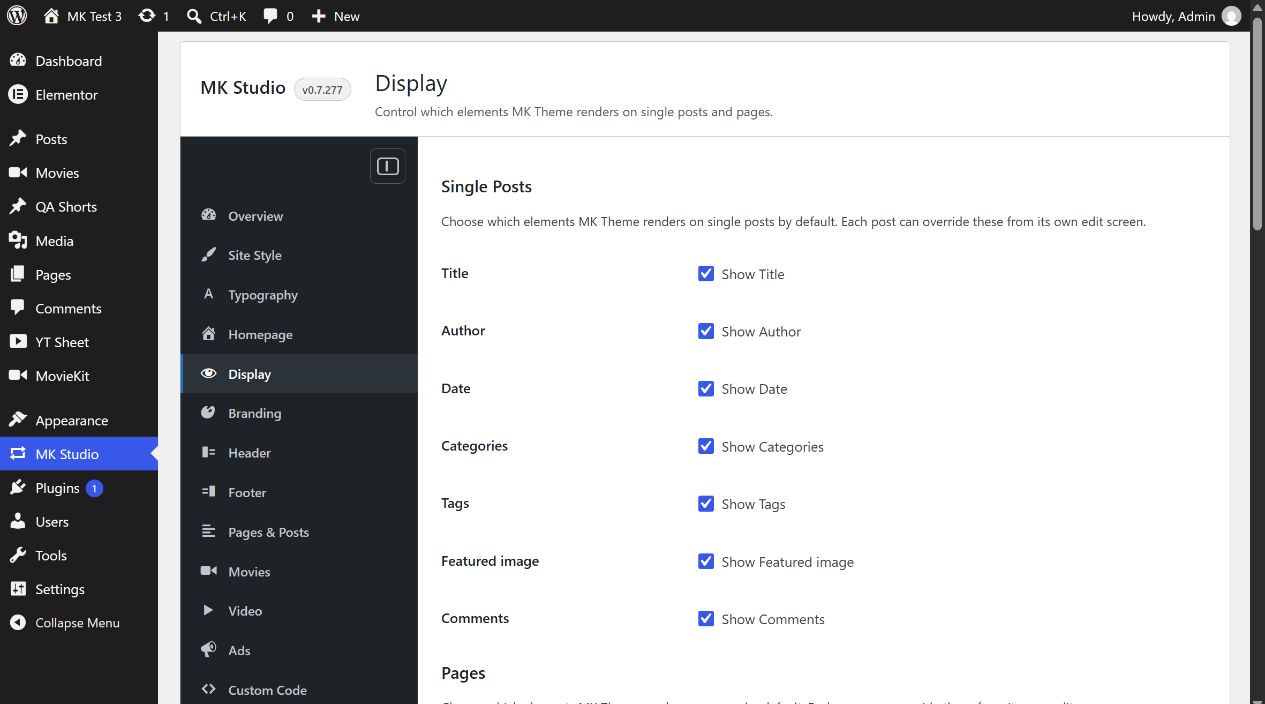
Location: WordPress admin → MK Studio → Display. This screen sets MK Theme’s global visibility defaults for standard elements on posts, pages and public custom post types. All checkboxes start on. Click Save Changes to apply edits, then inspect a matching public page.
Single Posts
Each of the following checkboxes controls the named element on a regular WordPress post: Show Title, Show Author, Show Date, Show Categories, Show Tags, Show Featured image and Show Comments. On is the initial global setting for all seven. An enabled item still needs its relevant content: for example, a post without a featured image cannot display one. The Comments control governs MK Theme’s output area; it does not change WordPress discussion permissions.
Pages
Pages have three global checkboxes: Show Title, Show Featured image and Show Comments. They are on initially. The public effect depends on the active MK Theme page template and whether the page has an image or comments.
Other public content types
MK Studio adds a section for each public custom post type registered on your site. Each has Show Author, Show Date and Show Comments, all on initially. Your list depends on the plugins and post types installed. These checkboxes govern common WordPress elements; content-specific movie fields, video fields and template controls live in their own MK Studio sections. The existence of a custom post type here does not guarantee its template renders every common element; verify the applicable public template.
Individual post and page overrides
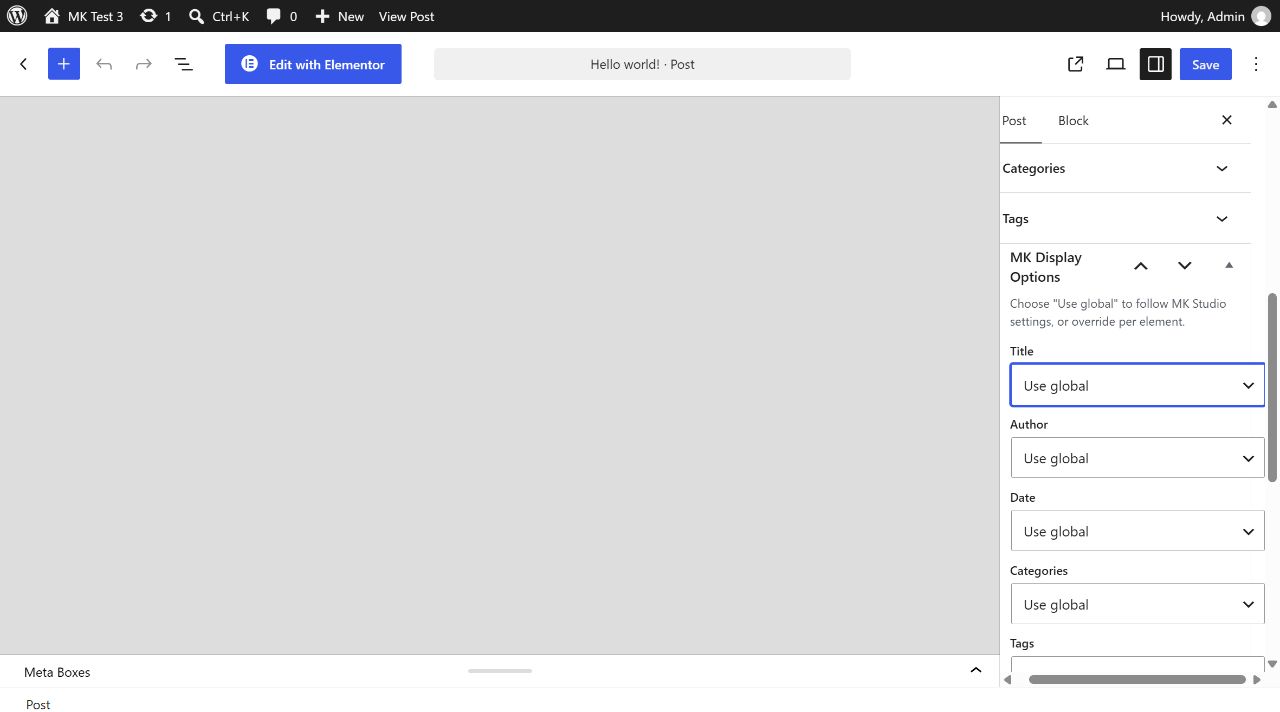
Open a regular post or page in the WordPress editor and expand MK Display Options. For each element offered on that content type, choose Use global (initial), Show or Hide, then save/update the post or page. Use global follows the matching checkbox above. Show and Hide force the selected element for that item, even if the global setting differs. Switching back to Use global removes the item override. The MK Display Options editor panel is registered for regular posts and pages; a custom post type’s global Display section does not imply the same per-item panel exists for it.
Priority and example
For an element MK Theme supports, visibility resolves in this order: explicit item Show/Hide, saved MK Studio global checkbox, then the theme’s own default if the Studio setting is absent. For example, to hide post dates site-wide, uncheck Single Posts → Show Date and save. To keep a date on one selected post, edit that post and set MK Display Options → Date → Show, then update it. Check both that post and another post on the public site.