MK SYSTEM / DOCUMENTATION
MK Studio Comments and 404
MK Studio Comments settings control the appearance of comment lists and forms; the separate 404 tab handles missing pages.
Location: WordPress admin → MK Studio → Pages & Posts → Comments or 404. Each subtab has a separate Save Changes form. Comment visibility is controlled under Display; Comments here changes appearance.
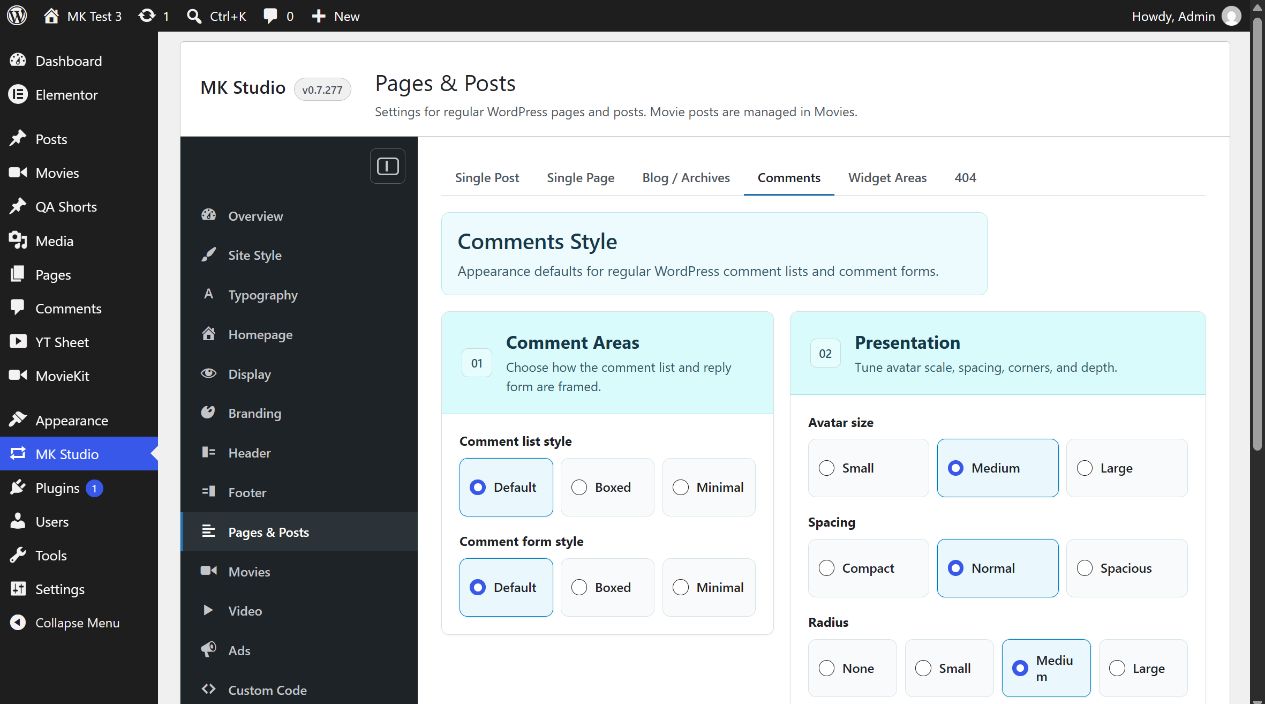
Comments Style
Comment list style and Comment form style each offer Default (initial), Boxed or Minimal. Avatar size offers Small, Medium (initial) or Large. Spacing offers Compact, Normal (initial) or Spacious. Radius offers None, Small, Medium (initial) or Large. Shadow offers None (initial), Soft or Medium. These choices style the regular WordPress comment list and reply form when comments are displayed; they do not open or close discussion on a post.
404 Page
The four controls Show title, Show message, Show search form and Show back to home link are all on initially. Custom title and Custom message start empty; empty means MK Theme’s default text. Enter your own text to replace it, then click Save Changes. Hiding a component removes it even if its custom text is filled.
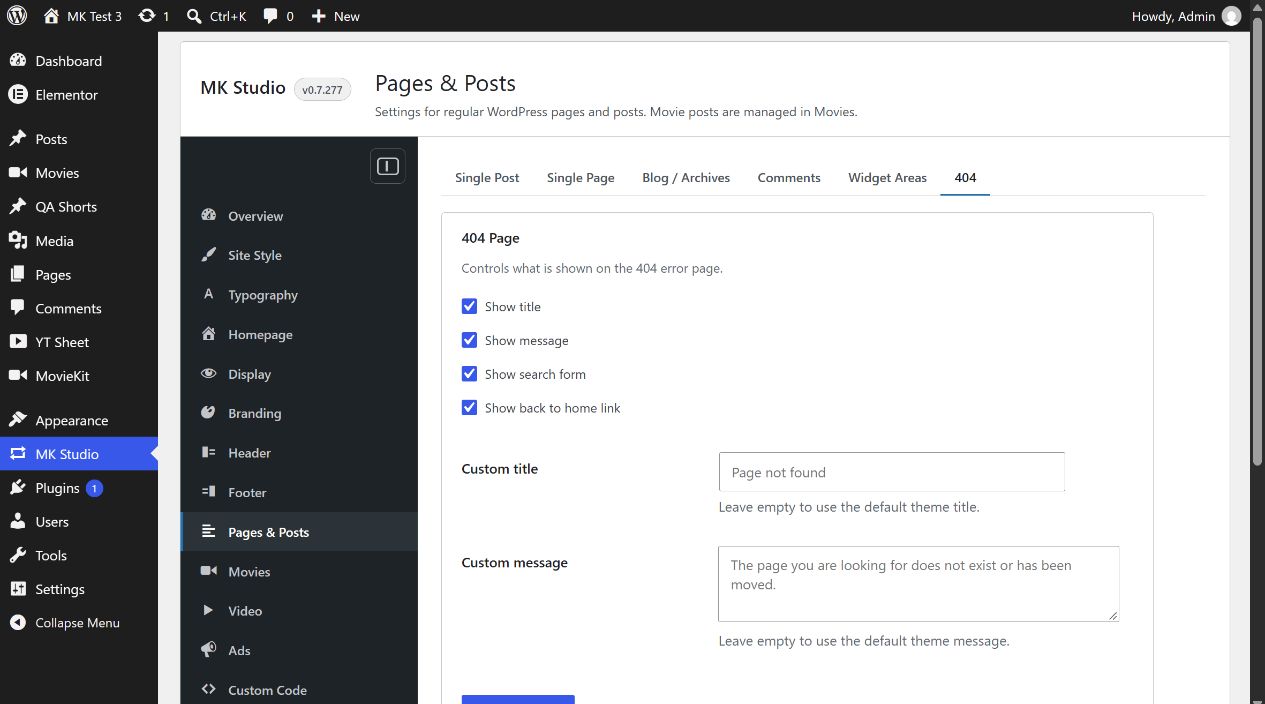
For example, enter “We couldn’t find that page” as Custom title, keep Show title and Show search form enabled, save, and open a nonexistent path on your site to inspect the result.