MK SYSTEM / DOCUMENTATION
YT Sheet Vimeo Showcase
A YT Sheet Vimeo Showcase source builds a video dataset from a collection, also called an album in the Vimeo API.
Location: WordPress admin → YT Sheet → Add New Source → Source type → Vimeo Showcase. A Showcase is also called an album in the Vimeo API.
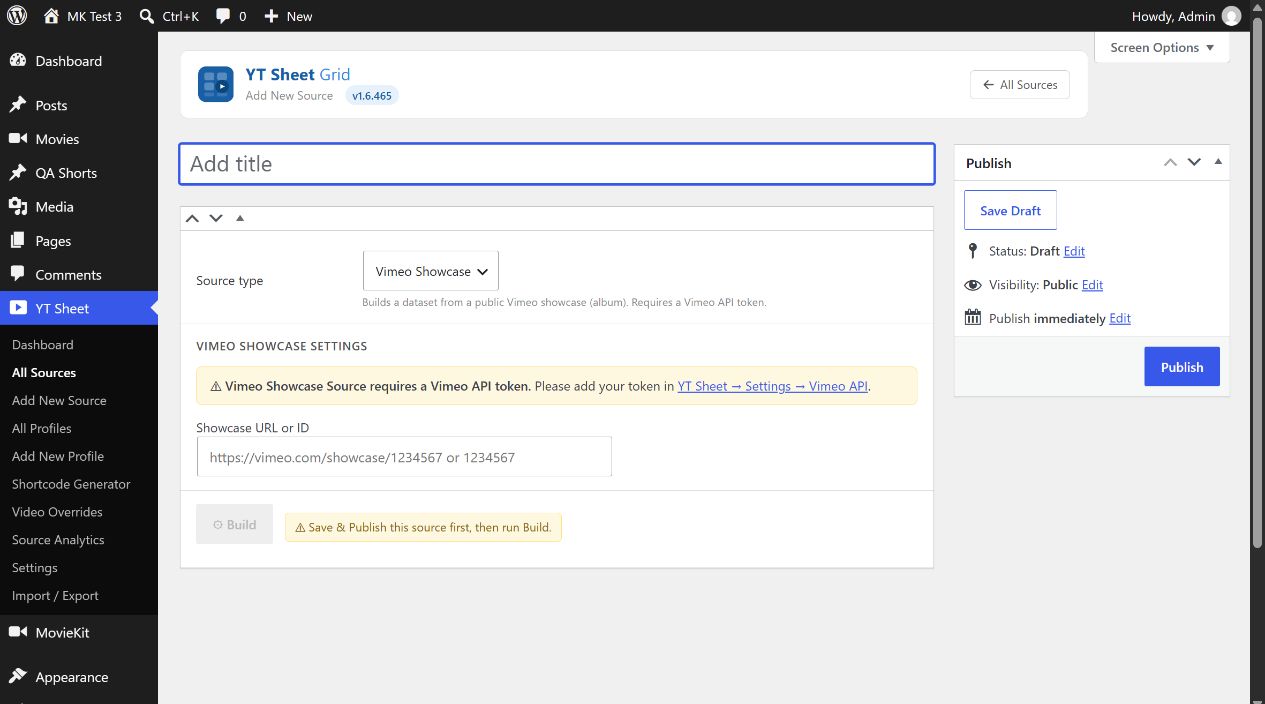
- Generate a Vimeo token for public data with Vimeo’s token guide, then save it in YT Sheet → Settings → Advanced Settings → Vimeo API.
- Enter Showcase URL or ID, such as
https://vimeo.com/showcase/1234567or the numeric ID. After resolution, the editor can display the ID. - Publish the Source and select Build. Check the built item count or the error message. Select Update before Rebuild after an input change.
- Use Clear cache to remove the saved dataset when a full new build is needed.
The Source requires a public Showcase and valid provider token. Missing token, invalid ID or an empty public result is reported in Cache. After building, review the Cache area and preview the grid.